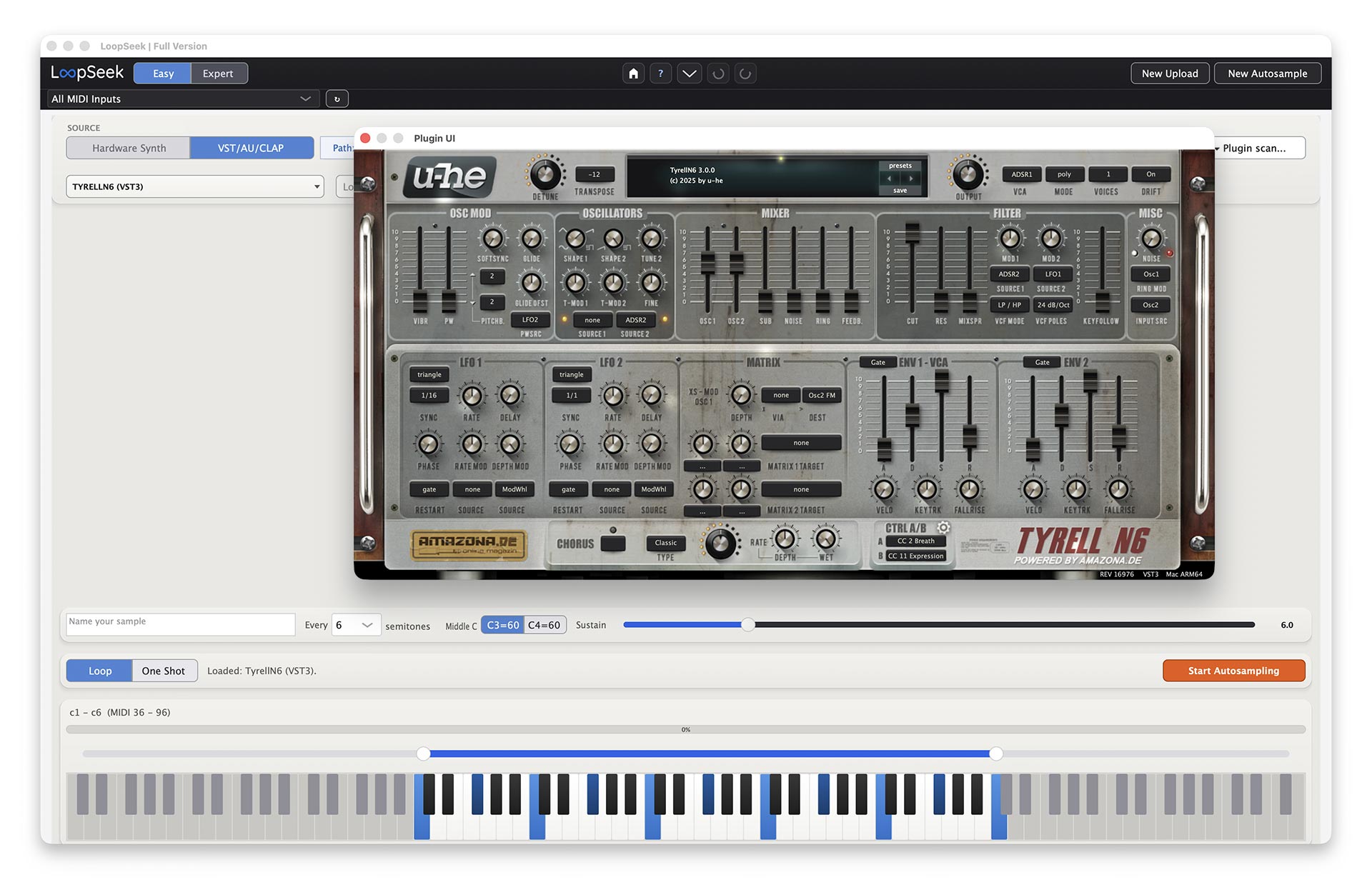
Import Multisamples, autosample plugins offline, or autosample hardware synths via MIDI & Audio Interface. Then let LoopSeek find the loop — automatically. Play the new Multisamples live in Loopseek with a midi keyboard. Export your Multisample to different Formats.
TYRELL N6 (c) by u-he I powered by amazona.de
Load any VST3, AU, or CLAP plugin, import WAV/AIFF files directly, or connect hardware via MIDI. LoopSeek renders plugins offline at full quality — hardware sampling runs in real-time, automated.
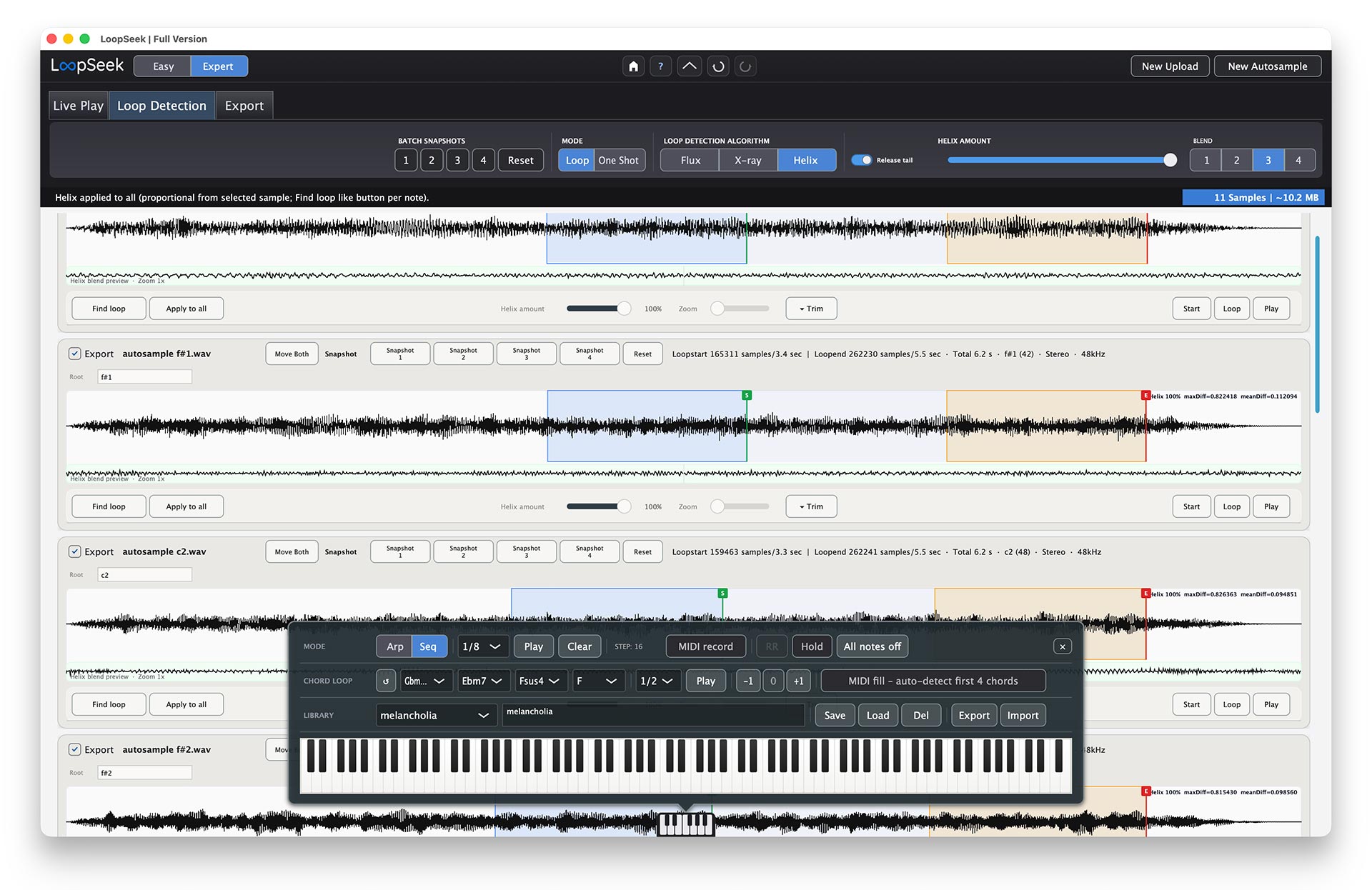
Three algorithms analyze your samples and find the best loop points. Each takes a different approach — from raw transparent splices to crossfade blending to seam reconstruction — so there's always a good fit for your material.
Short walkthroughs — overview, velocity layers, round robin, dual-layer plugin autosampling, Expert Mode, export. The embedded player loads here only after you confirm once per browser tab. Prefer no embed? Use the external link below.
This link opens YouTube, where data may be processed by Google.
Autosampling
VST/CLAP/AU Plugin Offline Rendering (AU Mac only) Dual Layer Plugin Offline Autosampling Hardware Synth Autosampling velocity layers & round robin *Loop finding
3 Loop Finding Algorithms Loops & One ShotsImport
SFZ, WAV, AIFF, FLAC IMPORTWorkflow
Easy Mode | Expert Mode Load & Save Profiles Load & Save Sessions Works OfflineApp & platform
Native App in C++/Juce Mac Universal (intel/silicon) / Win 10+Play & perform
In App Keyboard with Chord Player, Sequencer & Arp + Midi Keyboard Live PlayExport targets
Logic EXS · Tonverk · op-xy · Bento · SFZ · Decent Sampler Meta data embedded WAV export and Tonverk+ (1 elmulti & 1 wavfile)Offline rendering for VST3, AU, and CLAP means no audio interface and no real-time wait. Hardware instruments sample in real-time — but fully automated.
Each handles different material. In Easy Mode, Helix runs automatically.
No crossfade — the loop stays raw and transparent. Important: Flux is only for essentially static raw waveforms (sine, triangle, saw, pulse) where you want the true waveform to loop without smoothing. Even a little modulation or movement in the sound usually means Flux is no longer the right tool — use Helix or X-ray instead.
Raw · TransparentX-ray finds a loop region and smooths the seam with a crossfade instead of a hard cut, hiding small phase jumps that would click on a raw splice. It fits sustained, evolving material—pads, filtered sweeps—where the wave drifts between cycles. You set blend length: more milliseconds mean a gentler join but a slightly softer transient at the wrap. When Flux is too strict yet you still want clear time-domain behavior, X-ray is often the balanced next step.
Crossfade blendHelix rebuilds continuity at the loop point—closer to re-synthesis than a plain edit—so repeats read as one steady sound without harsh comb-filter shimmer. As the strongest all-rounder it is especially strong on difficult, irregular, or stubborn material, yet it still handles simple tones cleanly when you want one dependable default. Easy Mode defaults to Helix because it stays reliable where Flux would struggle. When you are unsure which algorithm to try, Helix is still the sensible first choice.
Default · Easy ModeEasy Mode splits at the top: import finished files, or run the autosampler from a plugin or hardware — both paths share loop finding (Helix) and export.
Path A — Import
Step 01
Bring in WAV, AIFF, or SFZ files. This path skips the autosampler — next step is loop finding, then export.
Path B — Autosample
Step 01
Select a VST3, AU, or CLAP plugin — or connect hardware and drive it via MIDI & audio interface.
Step 02
Set velocity layers, note range, round robin, and choose between Plugin or Hardware mode.
Step 03
Offline render in Plugin Mode, real-time capture in Hardware Mode. LoopSeek records every note automatically.
Both paths continue here
Step — Loop finding
Helix proposes loop points automatically, which you can adjust per sample. Play multisamples live via the in-app keyboard or a connected MIDI keyboard.
Final step — Export
Choose your sampler format — Logic EXS, Tonverk, OP-XY, Bento, SFZ, Decent Sampler, or WAV — and export the finished package in one pass.
LoopSeek handles naming, file structure, and format-specific metadata automatically.
Same build for everyone: download the demo here, use it with demo limits, then purchase from the in-app link once it fits your workflow. Many desktop tools keep checkout in-app so you always test the real binary first.
• same binary as the licensed app
Unlock paid limits in the app after purchase.
• one-time, lifetime license
No “Buy” here on purpose: get the demo on the left, then unlock in-app when you’re ready — so nobody pays before running the real app.
No “Buy” here on purpose: download the free demo above, then unlock in-app when you’re ready — so nobody pays before running the real app.
After purchase you receive a key; one short online activation, then fully offline.
We tried to build a name parser that is flexible:
Normal samples:
name_c1.wav or name_36.wav — separator may be a space, -, or _.
Samples with velocity layers:
name_c3_v64.wav — same separator rules.
Samples with velocity layers and round robin:
name_c3_v64_rr2.wav — same separator rules.
macOS treats virtual audio sources like BlackHole similar to a microphone, so microphone permission must be allowed.
To capture system audio on macOS, LoopSeek must appear under System Audio Recording Only with permission enabled.
If LoopSeek already appears in the list, only enabling the toggle is necessary.
Same build as the licensed app—your key unlocks the paid limits. No time limit, no nag screens.
The video link opens YouTube, where data may be processed by Google.